If you like our project, please give us a star ⭐ on GitHub.
[](https://twitter.com/arbius_ai)
[](https://github.com/semperai/amica/blob/main/LICENSE)
[](https://hits.seeyoufarm.com)
[](https://github.com/semperai/amica/issues?q=is%3Aopen+is%3Aissue)
[](https://github.com/semperai/amica/issues?q=is%3Aissue+is%3Aclosed)
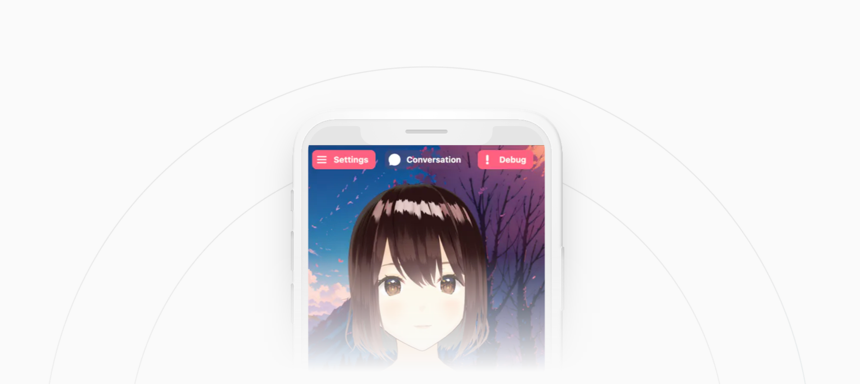
Amica allows you to converse with highly customizable 3D characters that can communicate via natural voice chat and vision, with an emotion engine that allows Amica to express feelings and more. Customize her any way you want with any AI technology.
[Try Amica here on mobile, tablet or desktop](https://amica.arbius.ai)
> **For Windows Users**: Please create a new folder for Amica during installation to prevent the unintentional deletion of other files during uninstallation.
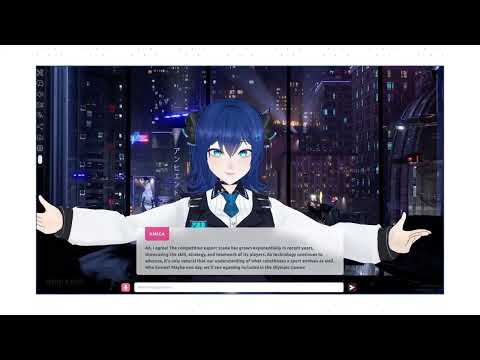
 We just released Amica 1.2 with lots of new features. [Docs](https://docs.heyamica.com/) will be further updated soon, **watch the video to learn about what Amica 1.2 offers:**
[](https://www.youtube.com/watch?v=3zCN2IlxHrU)
You can import VRM files, adjust the voice to fit the character, and generate response text that includes emotional expressions.
We just released Amica 1.2 with lots of new features. [Docs](https://docs.heyamica.com/) will be further updated soon, **watch the video to learn about what Amica 1.2 offers:**
[](https://www.youtube.com/watch?v=3zCN2IlxHrU)
You can import VRM files, adjust the voice to fit the character, and generate response text that includes emotional expressions.
The various features of Amica mainly use and support the following technologies:
> To see tutorials on configuring any of these with Amica please visit the [official Amica documentation](https://docs.heyamica.com/).
- 3D Rendering
- [three.js](https://threejs.org/)
- Displaying 3D characters
- [@pixiv/three-vrm](https://github.com/pixiv/three-vrm)
- Running Transformers in the browser
- [Transformers.js](https://huggingface.co/docs/transformers.js/index)
- Speech recognition
- [Whisper](https://openai.com/research/whisper)
- Voice Activity Detection
- [Silero VAD](https://github.com/ricky0123/vad/)
- ChatBot
- [Llama.cpp server](https://github.com/ggerganov/llama.cpp)
- [ChatGPT API](https://platform.openai.com/docs/api-reference/chat) (compatible with projects such as [LM Studio](https://lmstudio.ai/))
- [Window.ai](https://windowai.io/)
- [Ollama](https://ollama.ai)
- [KoboldCpp](https://github.com/LostRuins/koboldcpp)
- [Oobabooga](https://github.com/oobabooga/text-generation-webui/wiki)
- [OpenRouter](https://openrouter.ai/) (access to multiple AI models)
- Text-to-Speech
- [Eleven Labs API](https://elevenlabs.io/)
- [Speech T5](https://huggingface.co/microsoft/speecht5_tts)
- [OpenAI](https://platform.openai.com/docs/guides/text-to-speech)
- [Coqui (Local)](https://github.com/coqui-ai)
- [RVC](https://github.com/SocAIty/Retrieval-based-Voice-Conversion-FastAPI)
- [AllTalkTTS](https://github.com/erew123/alltalk_tts)
- Vision
- [Bakllava](https://github.com/SkunkworksAI/BakLLaVA)
## 🛠️ Installation and running
To run this project locally, clone or download the repository.
```bash
git clone git@github.com:semperai/amica.git
```
Install the required packages.
```bash
npm install
```
After installing the packages, start the development web server using the following command:
```bash
npm run dev
```
Once started, please visit the following URL to confirm that it is working properly.
[http://localhost:3000](http://localhost:3000)
### 📝 Configuration
Most of the configuration is done in the `.env.local` file. Reference the `config.ts` file for the available options.
#### OpenRouter Configuration
To use OpenRouter as a chat backend, set the following environment variables in your `.env.local` file:
- `NEXT_PUBLIC_OPENROUTER_APIKEY`: Your OpenRouter API key (required)
- `NEXT_PUBLIC_OPENROUTER_URL`: Custom OpenRouter API URL (optional, defaults to https://openrouter.ai/api/v1)
- `NEXT_PUBLIC_OPENROUTER_MODEL`: Default OpenRouter model (optional, defaults to openai/gpt-3.5-turbo)
```bash
amica
├── .env.local
├── src
│ ├── utils
│ │ └── config.ts
```
### 📦 Desktop Application
Amica uses [Tauri](https://tauri.app/) to build the desktop application.
To develop the desktop application, use the following command:
```bash
npm run tauri dev
```
## 📖 Documentation
View the [documentation](https://docs.heyamica.com) for more information on how to configure and use Amica.
## 📜 History
This project originated as a fork of ChatVRM by Pixiv:
[https://pixiv.github.io/ChatVRM](https://pixiv.github.io/ChatVRM)
## 🔒 License
* The majority of this project is released under the MIT license as found in the [LICENSE](https://github.com/semperai/amica/blob/master/LICENSE) file.
* Assets such as 3D models and images are released under their authors respective licenses.
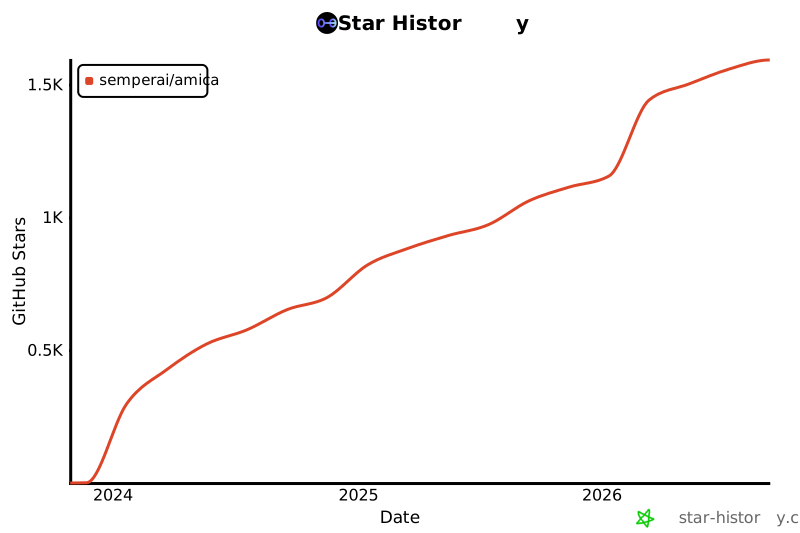
## ✨ Star History
[](https://star-history.com/#semperai/amica&Date)
## 🤗 Contributors
