
OTEL.md 2.0 KB
OpenTelemetry with OpenShift Distributed Tracing Platform
Start OpenShift local and create a new project.
$ crc setup
$ crc start
$ eval $(crc oc-env)
$ oc login -u developer
$ oc new-project opentelemetry-js-rhosdt
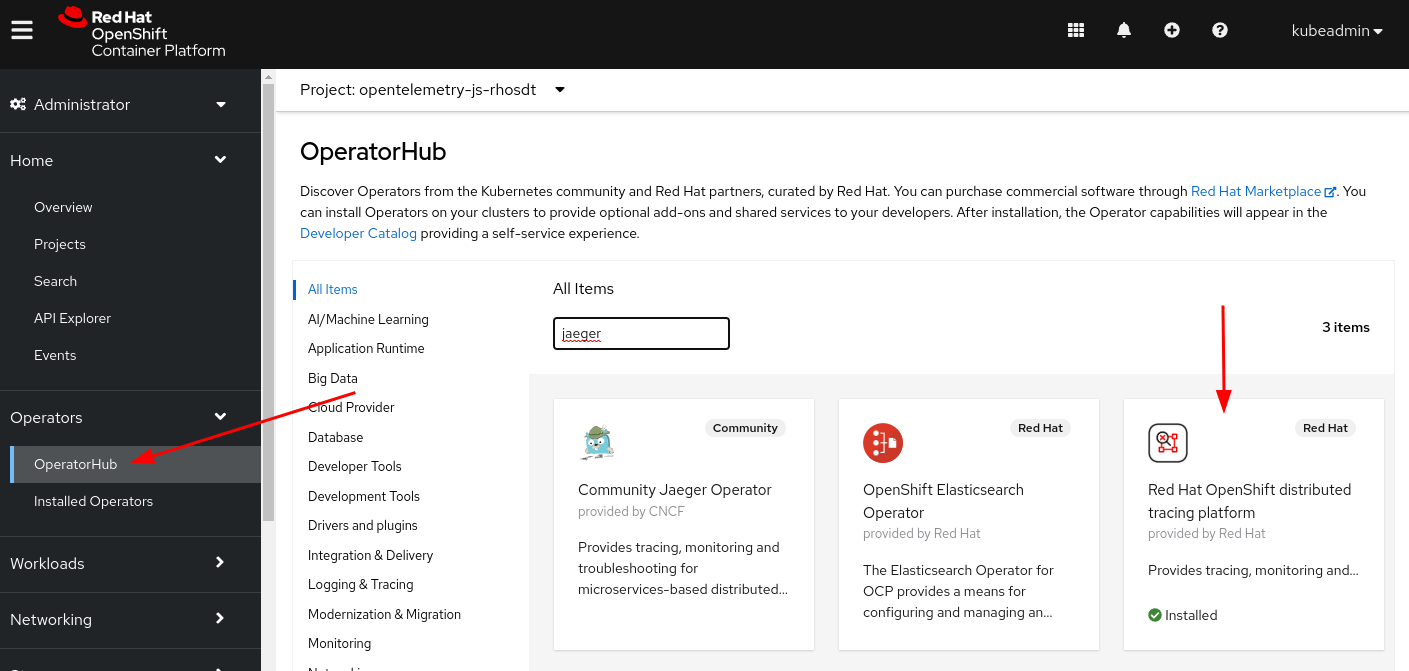
Install the OpenShift Distributed Tracing Platform Operator
- Login as kubeadmin
- Go to OperatorHub
- Search for Jaeger
- Click on
Red Hat OpenShift distributed tracing platformand follow the instructions to install.
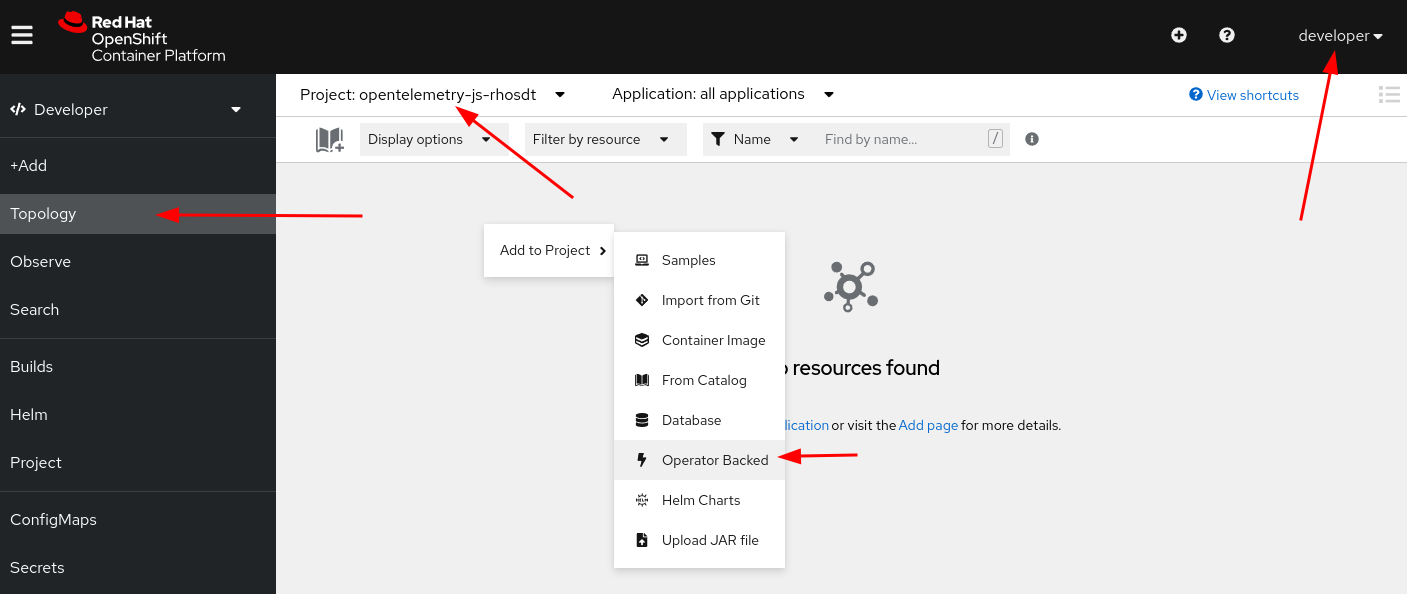
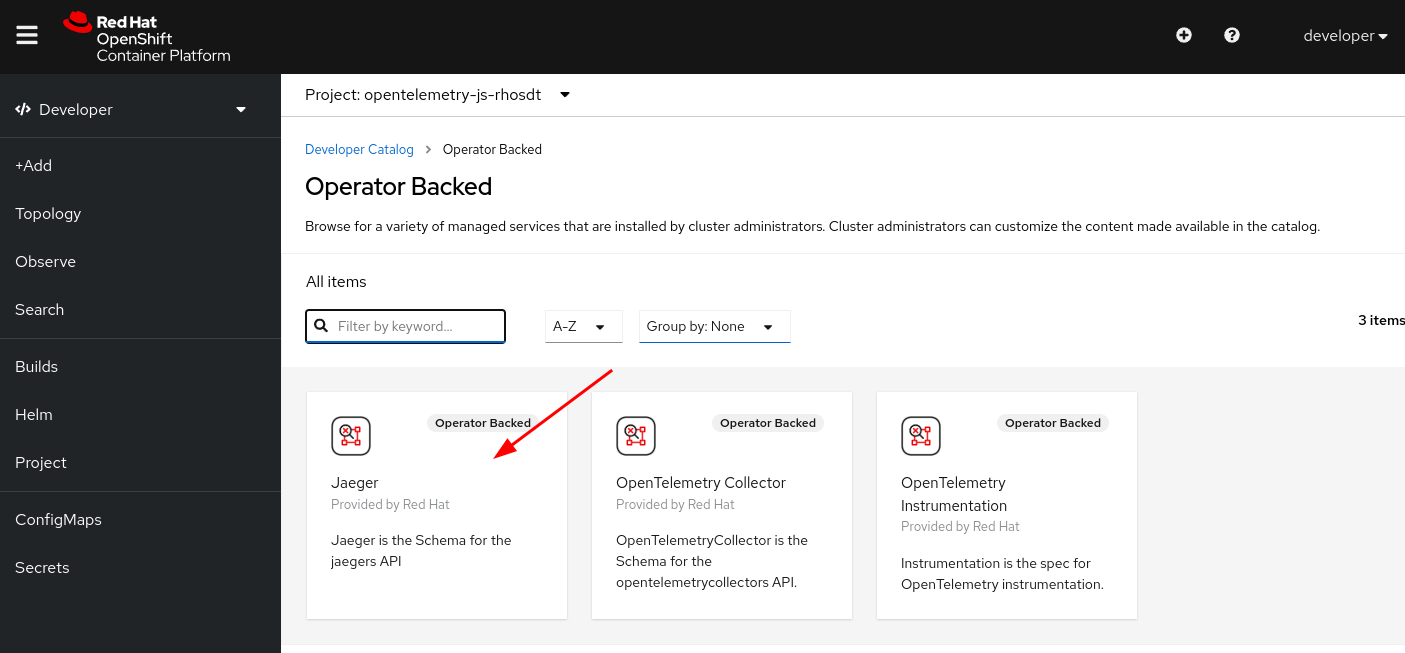
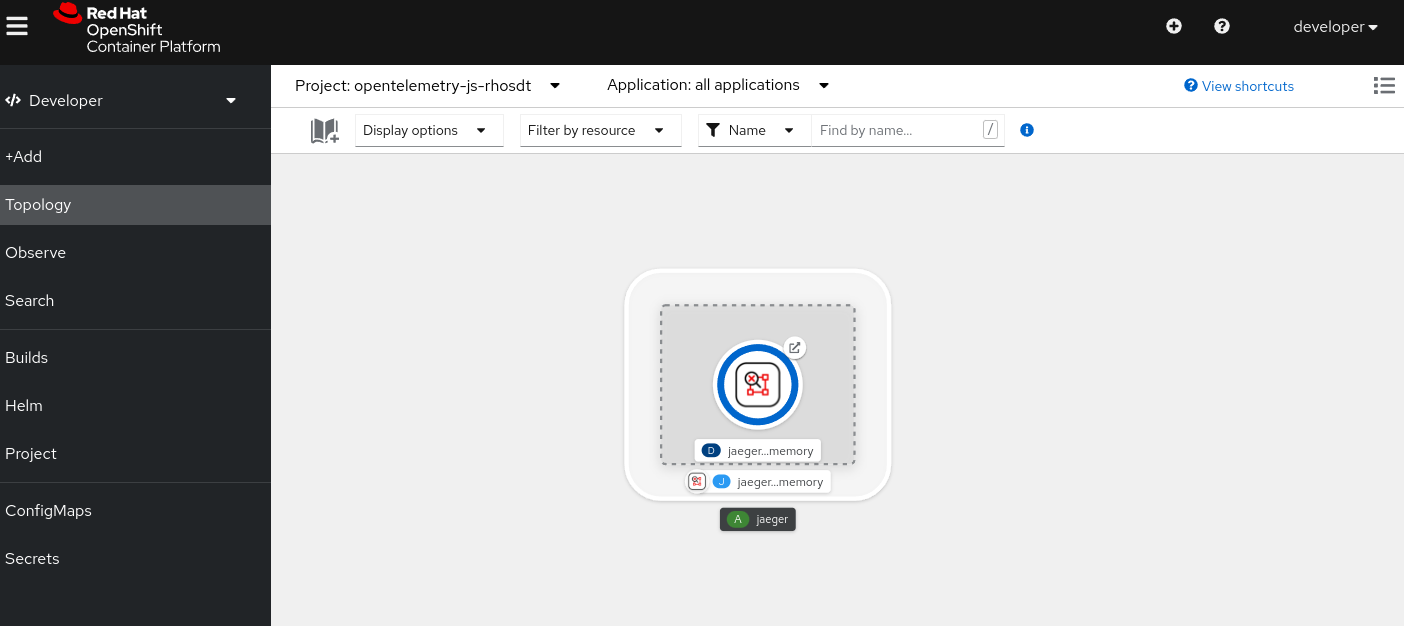
- Login as developer, go to Topology and add the Jaeger Operator to the project.
Configure the URL for the JaegerExporter endpoint
❯ oc get svc
NAME                                            TYPE        CLUSTER-IP     EXTERNAL-IP   PORT(S)                                                    AGE
jaeger-all-in-one-inmemory-agent                ClusterIP   None           <none>        5775/UDP,5778/TCP,6831/UDP,6832/UDP                        2m16s
jaeger-all-in-one-inmemory-collector            ClusterIP   10.217.5.57    <none>        9411/TCP,14250/TCP,14267/TCP,14268/TCP,4317/TCP,4318/TCP   2m16s
jaeger-all-in-one-inmemory-collector-headless   ClusterIP   None           <none>        9411/TCP,14250/TCP,14267/TCP,14268/TCP,4317/TCP,4318/TCP   2m16s
jaeger-all-in-one-inmemory-query                ClusterIP   10.217.5.219   <none>        443/TCP,16685/TCP                                          2m16s
We are going to use jaeger-all-in-one-inmemory-collector +
our namespace service opentelemetry-js-rhosdt.svc for the
JaegerExporter endpoint.
Resulting in the following:
(content from the tracing.js file)
const exporter = new JaegerExporter({
  endpoint: 'http://jaeger-all-in-one-inmemory-collector.opentelemetry-js-rhosdt.svc:14268/api/traces'
});
Deploy the example to OpenShift local
npm install
npm run openshift:enable:trace