
VoCat












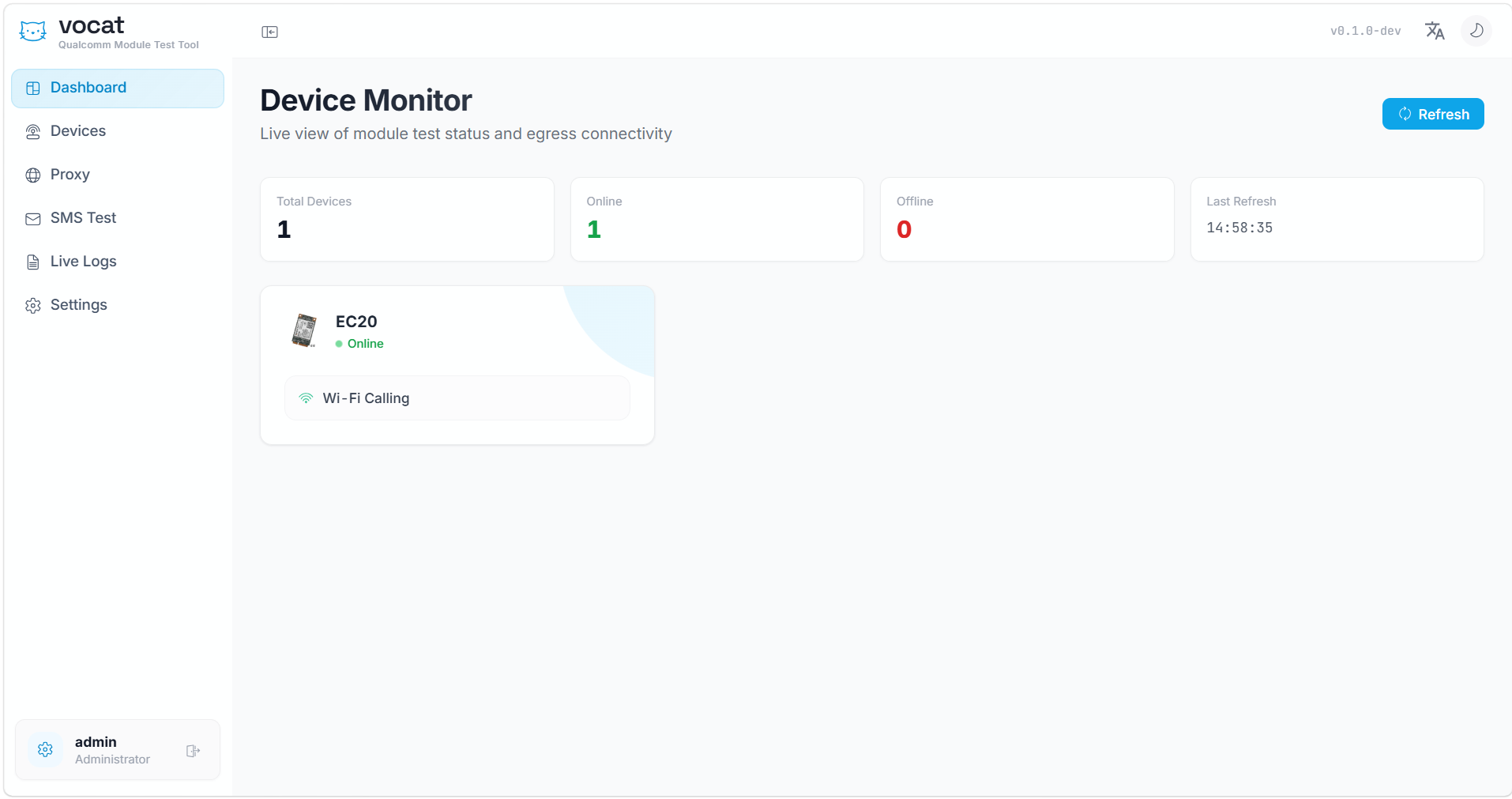
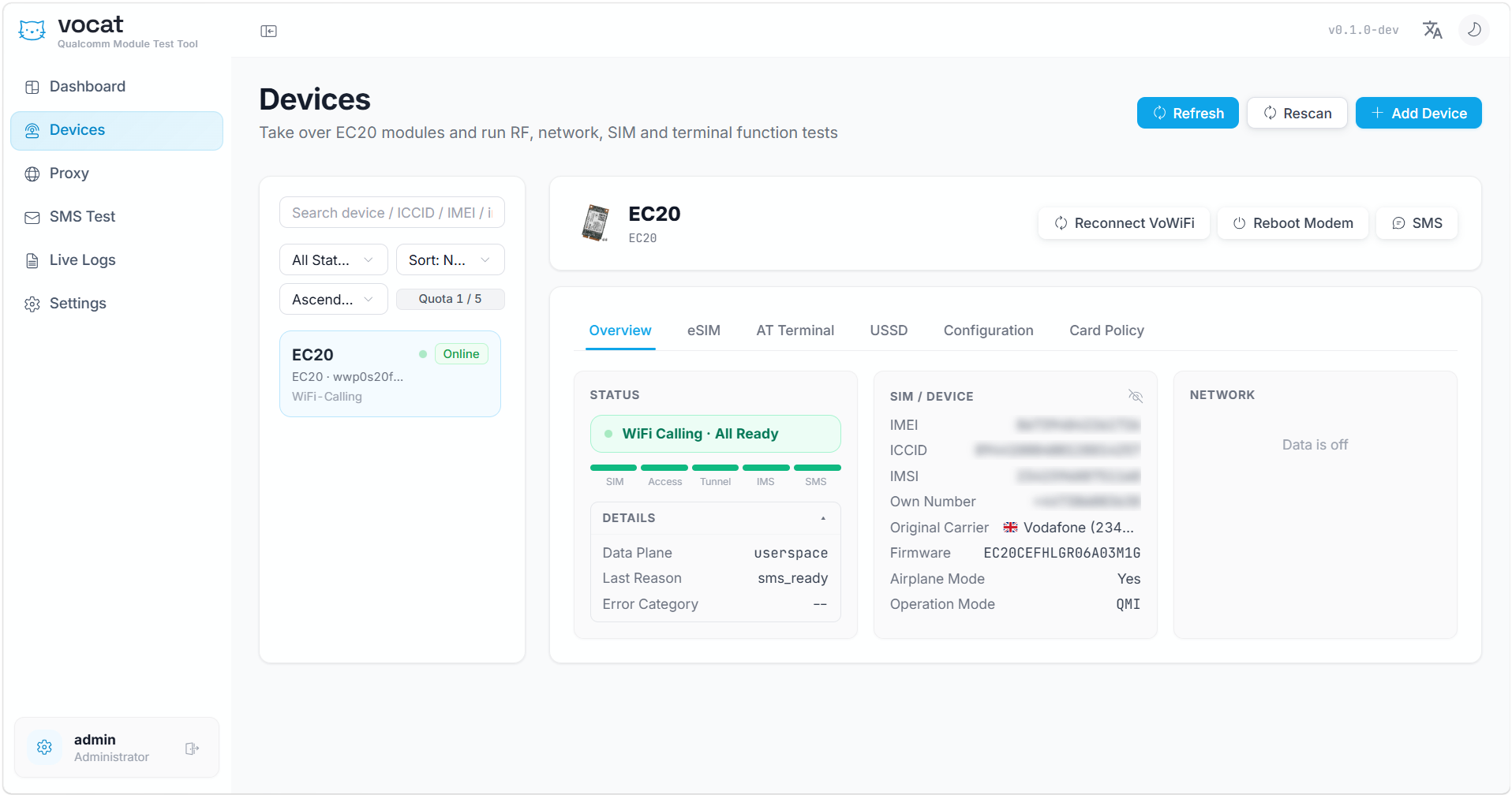
Vocat is an open-source web control panel and engineering toolkit for Quectel EC20/EC25-class cellular modems. It combines modem discovery, live radio status, AT and USSD terminals, SMS, WiFi Calling, eSIM management, network selection, proxy routing, notifications, audit logs, and release automation in one self-contained service.
The backend is written in Go, the interface is built with React and TypeScript, and the production frontend is embedded into the Go binary. A single executable contains the web application and uses SQLite for persistent state.
## Features
| Area | What Vocat provides |
| --- | --- |
| Device management | Automatic serial/USB discovery, multiple modem support, friendly device names, live overview updates, module restart, flight mode, and USB networking mode controls. |
| Radio and network | Registration status, operator, signal metrics, RSRP/RSRQ/SINR, network mode, band, channel, operator scanning, and automatic or manual network selection. |
| AT and USSD | Interactive AT terminal, command history, raw modem responses, USSD start/continue/cancel flows, and clear modem error reporting. |
| SMS | Direct cellular and IMS SMS transmission, inbound synchronization, multipart handling, delivery reports, conversation history, unread state, timestamps, and per-message delivery status. |
| WiFi Calling | IKEv2/ePDG tunnel setup, EAP-AKA authentication, IMS registration, IMS SMS, reconnect controls, status diagnostics, and per-device routing. |
| eSIM and eUICC | eUICC discovery, EID and production information, certificate metadata, multi-eUICC inventory, installed profile listing, enable/disable/switch operations, download, rename, and delete operations when supported by the card. |
| Card policy | ICCID-based WiFi Calling and flight-mode behavior with immediate policy application. |
| Proxy routing | Upstream SOCKS routing, device bindings, country rules, TCP reachability checks, and UDP Associate checks for WiFi Calling data paths. |
| Notifications | New inbound SMS forwarding through Telegram, Bark, email, Pushplus, and signed webhooks. Each SMS is delivered as an individual notification. |
| Telegram bot | Device status, installed-profile listing and switching, WiFi Calling controls, SMS sending, timed dialing with automatic hang-up, call status, answer, and hang-up commands. Sensitive actions require administrator confirmation. |
| Operations | Authentication, CSRF protection, access policies, audit events, live logs, log retention, health checks, responsive layout, dark mode, and English/Chinese application UI. |
| Distribution | Static Linux binaries, systemd installation script, self-update with SHA-256 verification, Docker image, GHCR publishing, and GitHub Actions release builds. |
## Supported hardware
Vocat targets Qualcomm-based Quectel modules that expose compatible AT, QMI, serial, and USB networking interfaces, including:
- Quectel EC20
- Quectel EC25
- Quectel EG25 family
- Compatible EG600 and related modules
Available features depend on the module firmware, USB composition, SIM/eSIM capabilities, host drivers, radio network, and carrier configuration.
## Installation
### One-click Linux installation
```bash
curl -fsSL https://raw.githubusercontent.com/MengMengCode/VoCat/master/scripts/install.sh | sudo bash
```
Install a specific version:
```bash
curl -fsSL https://raw.githubusercontent.com/MengMengCode/VoCat/master/scripts/install.sh -o install.sh
sudo bash install.sh 0.0.2
```
The installer:
- detects `amd64`, `386`, `arm64`, or `armv7`;
- downloads the matching GitHub Release binary;
- verifies it against `SHA256SUMS`;
- installs Vocat under `/opt/vocat`;
- creates a hardened systemd service with the hardware and network access required by Vocat;
- stores runtime configuration in `/etc/vocat/env`;
- generates a random initial administrator password on first installation.
After installation, open:
```text
http://:7575
```
### Manual binary installation
Download the matching binary and `SHA256SUMS` from GitHub Releases:
| Platform | Release file |
| --- | --- |
| Linux x86-64 | `vocat-linux-amd64` |
| Linux x86 32-bit | `vocat-linux-386` |
| Linux ARM64 | `vocat-linux-arm64` |
| Linux ARMv7 | `vocat-linux-armv7` |
Verify and install it:
```bash
sha256sum -c SHA256SUMS --ignore-missing
sudo install -d -m 0755 /opt/vocat/bin /opt/vocat/data
sudo install -m 0755 vocat-linux-amd64 /opt/vocat/bin/vocat
sudo env \
VOCAT_DATABASE_PATH=/opt/vocat/data/vocat.db \
VOCAT_ADMIN_PASSWORD=change-this-password \
/opt/vocat/bin/vocat
```
This manual command runs Vocat in the foreground. Use the one-click installer
when a managed systemd service and automatic restart are required.
### Docker
For a Linux host that must discover every attached supported Quectel modem and
continue seeing USB hot-plug events, run Vocat in hardware-access mode:
```bash
docker pull ghcr.io/mengmengcode/vocat:latest
docker run -d \
--name vocat \
--restart unless-stopped \
--network host \
--privileged \
--user 0:0 \
-e VOCAT_ADMIN_PASSWORD=change-this-password \
-v vocat-data:/opt/vocat/data \
-v /dev:/dev \
-v /sys:/sys:ro \
ghcr.io/mengmengcode/vocat:latest
```
Open `http://:7575` after the container starts. Host networking
is required so QMI network interfaces remain visible to Vocat, while privileged
device access is required for serial ports, QMI control nodes, TUN interfaces,
network configuration, and devices added after the container starts. The
`/dev` bind mount makes new `ttyUSB*`, `ttyACM*`, and `cdc-wdm*` nodes visible
without recreating the container.
This mode intentionally gives Vocat broad access to the host's devices and
network stack. Use it only on a trusted Linux host. The automatic discovery
currently identifies supported Quectel USB modems (USB vendor ID `2c7c`), not
arbitrary modem brands. Mapping only individual nodes with `--device`, such as
`/dev/ttyUSB2` and `/dev/cdc-wdm0`, limits the container to those fixed nodes
and does not provide complete multi-device or hot-plug discovery.
The GHCR image is published for `linux/amd64` and `linux/arm64`.
## Configuration
Vocat reads an optional JSON configuration file from `VOCAT_CONFIG`, then applies `VOCAT_*` environment variables. Environment variables take precedence.
| Environment variable | Default | Description |
| --- | --- | --- |
| `VOCAT_ADDR` | `0.0.0.0:7575` | HTTP listen address. |
| `VOCAT_DATABASE_PATH` | `./data/vocat.db` | SQLite database path. |
| `VOCAT_ADMIN_USERNAME` | `admin` | Initial administrator username. |
| `VOCAT_ADMIN_PASSWORD` | `admin` | Initial administrator password. Change it before exposing the service. |
| `VOCAT_SESSION_TTL` | `24h` | Authentication session lifetime. |
| `VOCAT_SECURE_COOKIES` | `false` | Marks session cookies as secure when HTTPS is used. |
| `VOCAT_SHUTDOWN_TIMEOUT` | `10s` | Graceful shutdown timeout. |
| `VOCAT_MAX_REQUEST_BODY_BYTES` | `1048576` | Maximum API request body size. |
| `VOCAT_REPO` | empty | GitHub repository used by the self-updater, in `owner/name` form. |
| `GITHUB_TOKEN` | empty | Optional GitHub token for private repositories or higher API limits. |
Do not store Telegram tokens, SMTP passwords, webhook secrets, SIM credentials, or other private data in the repository. Configure them through the application settings or protected environment files.
## Telegram bot
When Telegram notifications are enabled and both Chat ID and Admin ID are configured, the bot supports:
```text
/status [device]
/esim
/switch
/wfc
/sms
/call
/calls
/answer
/hangup
```
Profile switching, SMS submission, and dialing use one-time confirmation buttons. Timed dialing performs the modem call action and automatically hangs up after 1–600 seconds; it does not capture or process call audio. The bot does not expose eSIM download, delete, or rename commands.
## Updating
Check for a newer GitHub Release:
```bash
vocat update --check --repo MengMengCode/VoCat
```
Install the latest release:
```bash
sudo vocat update --repo MengMengCode/VoCat
```
The updater downloads the binary matching the current Linux architecture, verifies it with the published `SHA256SUMS`, replaces the executable atomically, and restarts the `vocat` systemd service when available.
For Docker installations:
```bash
docker pull ghcr.io/mengmengcode/vocat:latest
```
Recreate the container after pulling the new image.
## Development
Requirements:
- Go 1.25 or newer
- Node.js 20 or newer
- npm
Run the frontend development server:
```bash
cd web
npm install
npm run dev
```
Build the embedded frontend and start the backend:
```bash
cd web
npm run build
cd ..
go run ./cmd/vocat
```
Run all tests:
```bash
go test ./...
```
Build a production binary:
```bash
go build -trimpath -ldflags "-s -w" -o vocat ./cmd/vocat
```
## Release automation
Pushing a version tag starts two GitHub Actions workflows:
- `release-binaries` builds and publishes `amd64`, `386`, `arm64`, and `armv7` binaries plus `SHA256SUMS`.
- `docker` builds and publishes a multi-architecture image to GitHub Container Registry.
```bash
git tag v0.2.0
git push origin v0.2.0
```
## Project layout
```text
cmd/vocat/ Application entry point and CLI
internal/device/ Modem discovery and device control
internal/modem/ AT session and response handling
internal/server/ HTTP API, notifications, and embedded web server
internal/store/ SQLite persistence
internal/update/ GitHub Release self-updater
internal/vowifi/ IKE, EAP-AKA, IMS, and WiFi Calling runtime
scripts/install.sh Linux installer and updater
web/src/ React and TypeScript frontend
.github/workflows/ Binary and Docker release automation
```
## Responsible use
Cellular modem and eSIM operations can affect subscriber service, stored profiles, network registration, and hardware state. Keep backups, review destructive actions carefully, and use the software only in lawful environments where you are permitted to operate the connected hardware and network resources.
Vocat does not bypass carrier authentication, network policy, hardware security, or eSIM trust requirements. Support for an operation means that Vocat can request it from the modem or eUICC; the device, profile, network, or carrier may still reject it.
## Contributing
Issues and pull requests are welcome. Keep changes focused, include tests where practical, avoid committing credentials or subscriber data, and document hardware-specific behavior clearly.
Before submitting a change:
```bash
go test ./...
cd web && npm run build
```
## Thanks
- [Nodeseek.com](https://www.nodeseek.com) — A community dedicated to servers
- [Linux.do](https://linux.do) — An inspiring tech community
- [iniwex5](https://github.com/iniwex5) - Style and Functionality Guidelines
## License
See [LICENSE](LICENSE).